
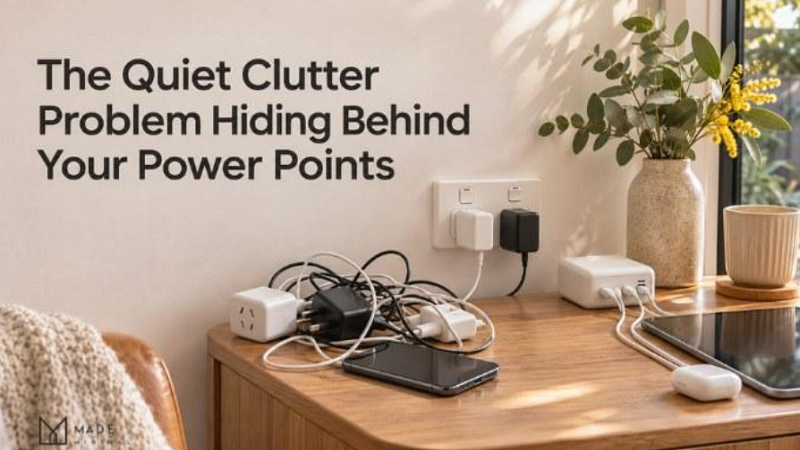
The clutter behind your power points tends to grow one charger at a time. A phone brick arrives one year, and a USB-C leads the next, until even a tidy Brisbane lounge hides a tangle of cables and adapters.
At Made Minimal, that sight bugs us because we sell furniture and lighting designed for pared-back homes. The same thinking applies to charging, where one multi-port plug in each room can replace several individual USB chargers and adapters.
In this guide, we’ll cover why mismatched chargers multiply, what to check before choosing a multi-port plug, and how to plan charging room by room. By the end, you’ll know which charger suits each space.
Why Do Mismatched USB Chargers Cause So Much Cable Clutter?
Mismatched USB chargers cause cable clutter because different ports, cables, and bricks pile up around the same few sockets. You end up with a USB-A lead (the cable that fits nothing you own) beside a USB-C-only brick it can’t plug into. Repeat that across every device type, and the power point behind your sofa becomes a junk drawer.
Five common habits explain why those chargers and cables keep piling up around the house:
- One Brick Per Device: Three phones and a smartwatch need four sockets, but a double power point only has two. Each brick brings its own cable, too, which means eight separate pieces for four devices. Even after you unplug the devices, those chargers stay behind and keep the area cluttered.
- Power Board Patch Jobs: A power board adds sockets but keeps every charger and cable in place. Some boards share 3.4A across four USB ports (roughly 17W at 5V). That’s below the 20 to 30W many modern phones support. As a result, charging several devices takes longer.
- Cords of Every Length: Extra sockets still leave you dealing with cables, and their lengths create another problem. Retailers sell USB-C cables in 1 m, 1.5 m and 3 m lengths. Buy them separately, and your drawer soon holds all three. Say, a 3 m bedside lead coils on the floor, while shorter ones might not reach the sofa.
- The Lost Adapter Hunt: Having spare cables doesn’t help much when the charger itself goes missing. Someone borrows the bedroom charger, and it rarely comes back. Bricks drift between rooms until nobody knows which one belongs where. In the end, you buy another charger to avoid the hunt, and the pile grows.
Cord ties hide some of the mess, but every brick still takes up a socket. The better fix is to reduce the number of USB chargers and choose a multi-port model with enough charging power for the devices in each room. That way, one wall plug can replace several individual charging adapters without removing the need for separate device cables.
What Should a Good Multi-Port Charger Offer?
A good multi-port charger offers enough shared power, a sensible USB-C and USB-A mix, and a slim USB plug. It’s one USB plug with several ports that draw power from a single supply.
The following determine which devices you can charge together and how conveniently the charger fits your power point.
Output: Watts, Power Delivery and Shared Power
The right output lets a laptop and phone charge together without either one crawling. For context, wattage sets the maximum power a charger can supply, while each device draws what it needs. Power Delivery (PD) lets the charger and device agree on that level.
In our review of retailer listings, we noticed total and per-port wattage can differ sharply. A 100W charger might deliver 65W through one USB-C port when used alone. Connect another device, and the charger may redistribute its power between both ports.
That’s why you should check the per-port table to ensure your laptop gets full power when other ports are busy. Select a USB-C cable designed for that wattage, or it’ll cap the output.
Balancing USB-C With Older USB-A Gear
Two USB-C ports and one USB-A port suit most rooms, since that mix covers newer and older gear. USB-C is the smaller oval connector that fits either way up, while USB-A is the older rectangular type.
As a rule of thumb, keep at least one USB-A port if you still use older earbuds, power banks, or charging cables. This will give you an easy way to charge older devices without extra adapters.
However, even when two ports share the same connector type, their charging power can differ. One USB-C port might support 65W Power Delivery, while another offers less power for phones and accessories.
So it’s best to review the individual port specifications before you select a charger.
Footprint, GaN and Safety: Choosing a Slim USB Plug
A chunky brick can cover the second socket on a double power point. GaN (gallium nitride) charging technology helps manufacturers design smaller chargers with high power output. The size advantage is especially useful with chargers rated at 65W and above.
Size isn’t the only consideration, though. A slim plug seat flush with a firm click and frees the next socket. When we checked the regulator’s guidance, we confirmed USB chargers must show the RCM (Regulatory Compliance Mark) to show they meet Australian electrical safety and compliance requirements.
The mark alone doesn’t tell you who is responsible for supplying the product. You can verify the responsible supplier and product registration through the EESS database.
How Does Minimalist Home Charging Work Room by Room?
Minimalist home charging works by giving each room one multi-port plug sized to the devices used there. It’s horses for courses, as a home office and a bedside table charge different types of gear. So list each room’s devices before you choose, and one convenient plug can cover most of its charging needs.
The estimates below use typical draws of 20 to 30W per phone, 30 to 45W per tablet, and 65W or more per laptop.
| Room | Typical Devices | Suggested Total Output | Port Mix |
| Home Office | Laptop, phone, earbuds | 100W or more | 2 USB-C (one rated 65W or more), 1 USB-A |
| Living Room | Phone, tablet, earbuds | 55 to 90W | 2 USB-C, 1 USB-A |
| Bedroom | Phone, smartwatch | 25 to 45W | 1 USB-C, 1 USB-A |
| Kitchen | Phone or recipe tablet (one at a time) | 30 to 45W | 1 USB-C |
These figures assume several devices charge at once, rather than showing their everyday power use. The aim is to match the charger’s output to the devices you’ll charge in each room. That means no overbuying at the bedside and no underpowered laptop at the desk.
Retiring Old Adapters After Your New USB Wall Charger Arrives
Once you’ve chosen a multi-port charger for each room, you can sort through the old adapters. Some USB chargers belong to phones you’ve already replaced, while others use older 5W charging technology that no longer suits your devices. Keeping every old brick defeats the purpose of reducing clutter.
But you don’t need to throw everything out. Keep one spare plug for travel, along with a cable that matches your new charger’s power rating. For the remaining unwanted phone chargers, use a MobileMuster drop-off. It’s an Australian recycling programme that collects old mobile phones and accessories.
If you have other electrical items to dispose of, your local council’s e-waste collection service is another option.
Swap the Brick Pile for One Multi-Port Charger
One well-chosen plug per room gives you free power points, a calmer home, and a cable drawer that finally shuts. Follow these three simple steps to get started:
- List everything that needs charging in each room (the old earbuds still count)
- Use the room table to choose a charger’s wattage and port type based on your devices
- Before buying, check that the charger carries the RCM
Once you’ve worked out what each room needs, head to Made Minimal‘s technology range to browse charging gear and accessories. You can also explore our other home articles for ideas on making small spaces work harder for Australian households. See More